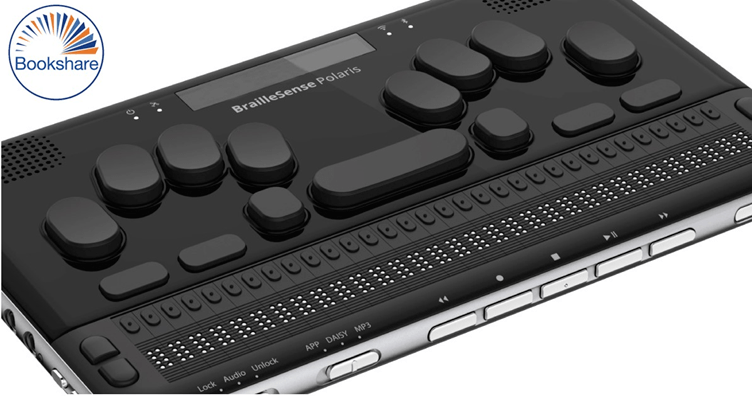
In today’s article, we will be covering how to access Bookshare on the Braille Sense 6. We will be going step-by-step on how to log on and download books.
Stage one:
- Power on your Braille Sense 6
- Press F1 to take you directly to the main menu and place it onto the File Manager.
- Navigate down to the Books option.
- Pressing enter you will be placed onto the DAISY PLAYER.
- Move down the different options until you find “Bookshare Download.”
Stage two
- Press the Enter key and you will be taken to the logon screen.
- You will be prompted to input your Bookshare account information and press enter.
- The first dialog box that you will be shown is the username/email where you will be asked to input the email account that used to sign up with.
- Pressing F3 you will be placed into the Password dialog box, here is where you will input your password.
- Once you have made sure all your account information is correct, press Enter.
- Once you have logged in you will be shown several separate ways to search for books to download from Bookshare.
- By pressing F3 you move to the search function and with this you can search by title of book, author, or category.
Today we are just focusing on searching via title.
Search By Title
- When you find ‘Search by Title,’ you can input the name of the book you want.
- Once you have done that, press enter, and you will be displayed several different book titles related to what you are wanting to search for.
- If you are wanting to check the description of the book, find the title and press F3 until you find the book details.
- Press the Enter key and you will be displaying all the different information about the book.
- Move down to synopsis: here is where you can find the description of the book.
Discover Book Details
- To discover out-of-the-book details, press F3 until you reach cancel.
- Pressing this will bring you out of the book detail section.
- Pressing spacebar F3 will move you backwards the options until you get back to the book title.
- Once you have found your desired book, press F3 until you reach the download button, pressing enter will start the download.
- This might take a few minutes depending on the file format that is being downloaded and your internet speed.
Book Downloaded and Accessing Bookshare Program
- Once your book is downloaded, you can then access the Bookshare program.
- Pressing space with as with exit you from the program or by pressing F4.
- You can then move to the DAISY player and press enter.
- When your program has loaded you will be displayed with all the books that you have downloaded to your device from Bookshare.
- When you find the title that you want to read or have recently downloaded press F3 on the title and you are shown a confirm button and press enter, this will open your book for you to be able to read.
- To exit your book, press the spacebar and Z.
This is how you can access the book directly from Braille Sense 6.
 CoolHappenings®